



Two-Factor Authentication 101: A Beginner’s Guide for 2026
Online safety in 2026 feels trickier than before. Just using passwords won’t work anymore. Hackers get cleverer each day, and data leaks happen all the time. Two-factor authentication, or 2FA, serves as a solid shield. Every worker ought to use it to guard accounts and private info. This basic two-factor authentication guide covers the main ideas. It explains usual ways to set it up. Plus, it shows how to fit them into your everyday online habits. I remember when I first tried 2FA on my email—it felt like a small hassle at first, but now it’s second nature, especially after hearing about all those news stories on breaches.
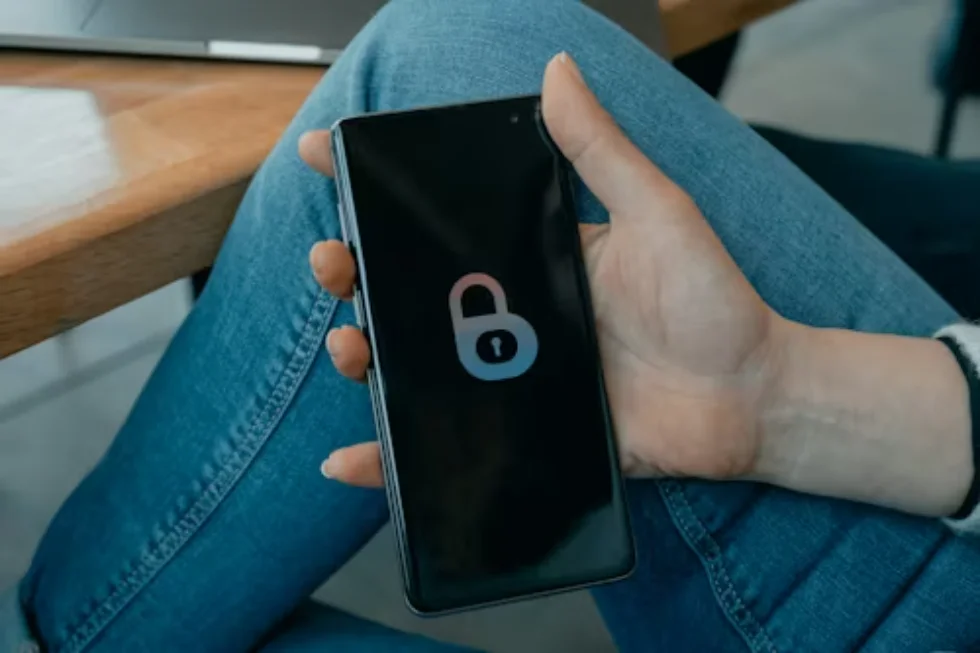
What Is Two-Factor Authentication?
Two-factor authentication means a safety step that needs two different proofs before you can get into an account. You don’t just use a password. Instead, 2FA wants something you remember, like a password. It also wants something you own, such as a phone or a small hardware token. This extra layer cuts down the chance of strangers getting in. It works even if someone steals your password.
The Core Principle Behind 2FA
The basic idea stays straightforward. You mix things you know with items you hold or body traits for checks. Take logging into your email as an example. You type in your password. Then, you get a quick code. It might come through a text message or pop up from an app that makes codes. This added check stops bad guys. They might grab your password, but they can’t get your phone or device.
Common Types of Second Factors
Today’s setups use a few kinds of second checks.
- SMS Codes: A short-lived number sent to your cell phone.
- Authenticator Apps: Codes that change over time, made by programs like Google Authenticator or Authy.
- Hardware Tokens: Real gadgets, for instance YubiKeys, that create safe numbers or tap with NFC.
- Biometric Verification: Things like your fingerprint, face scan, or voice match to prove who you are.
Every option comes with good points and bad ones. SMS feels easy to use. But it can face risks from tricks like SIM swapping. Hardware tokens offer top-notch protection. Yet, they might not suit folks who want quick setups. In my experience from chatting with IT friends, apps strike a nice balance for most people—reliable without too much fuss.
Why Is Two-Factor Authentication Important?
Safety pros keep pointing out that poor passwords cause most takeovers of accounts. You might pick tough passwords. Still, tricks like phishing or info spills can reveal them. That’s why 2FA helps. It builds a last wall against crooks and your details. Think about how many times you’ve reused a password across sites—2FA fixes that worry in one go.
Protection Against Phishing
Fake emails try to fool people. They get you to type login info on bogus sites. But with 2FA on, a stolen password isn’t enough. The intruder needs that extra proof to break in. This simple block can stop big problems. We’ve seen it in company hacks over the last few years. For instance, a quick code from your app can save the day when a sneaky email looks real.
Data Breach Resilience
Large info dumps hit the web often. They spill user logins. Accounts without 2FA turn into sitting ducks. Hackers run stuffing attacks. They try those stolen details on many sites. But 2FA ruins their plans. The crook misses the second piece needed to enter. Stats from security reports show that 2FA cuts breach success by over 99% in many cases—pretty impressive for such a basic tool.
How Does Two-Factor Authentication Work?
At heart, two-factor authentication checks both proofs one by one. It only lets you in after that. You start by entering your password, the first proof. Then the system asks for a follow-up test. This could be a short code or a body scan. You finish it fast, often in under a minute.
Step-by-Step Example
- You put in your username and password on the sign-in screen.
- The main computer looks at these against saved files.
- If they match, it makes or asks for a fresh code from somewhere else, like an app or text.
- You type in that code right away. If it fits, you get inside.
The whole thing moves fast. Yet it adds real strength to keep out intruders. Most times, crooks won’t have both parts at once. It’s like locking your door and then chaining it too—double sure.
Behind-the-Scenes Security Mechanisms
Newer systems often pick rules like TOTP, or Time-Based One-Time Password. These make codes that last just 30 seconds. The codes tie to hidden keys. One key sits on the main server. The other stays on your gadget. They never send the keys out in plain sight. So, grabbing them becomes super hard. From what I’ve read in tech blogs, this math magic keeps things tight without slowing you down much.
What Are the Best Practices for Using Two-Factor Authentication?
Turning on 2FA marks the start. But you need to handle it right for ongoing guard. Follow these tips to stay safe without headaches.
Choose Reliable Methods
Pick apps that make codes over texts when you can. Texts depend on phone lines that hackers might trick or copy. For big-deal spots, like bank apps, go for hardware tokens. They need you to have the item right there. This way feels more solid. I once switched from SMS to an app after a close call with a weird text—never looked back.
Backup Your Access Methods
Keep spare codes in a safe spot, away from the web. If you lose both main ways in, you might get stuck out for good. This hits hard on key spots like online storage or money apps. Print them or note them on paper, tucked in a drawer. It’s a small step that pays off big if your phone vanishes.
Apply It Across All Platforms
Don’t stop at just email for two-factor authentication. Spread it to social pages, job logins, coding tools, and anywhere with your details. Cover all bases. In today’s world, one weak link can spill everything. Make it a habit—check each site you use monthly to see if they offer it.
How Will Two-Factor Authentication Evolve by 2026?
Safety tech changes quick. 2FA follows suit. By 2026, body checks will probably lead for everyday folks. Phones and computers now pack better sensors everywhere. This shift makes logins smoother and tougher to fake.
Passwordless Future Trends
Experts push for no-password logins. They use rules like FIDO2 and WebAuthn. These store secret keys right on your device. No more typing passcodes. Phishing turns pointless. Users get ease without the risk. Imagine tapping your phone to sign in—no fuss. It’s already rolling out on big sites, and it’ll feel normal soon.
Integration With AI-Based Threat Detection
Coming setups might mix in smart programs. These watch how you log in. They note your gadget, spot, or even how you type. If something looks off, they ask for more checks. This spots weird tries early. For example, a login from halfway across the world might trigger a quick code. It adds smarts to the basics, like a watchful guard dog for your accounts.
FAQ
Q1: What’s the difference between two-factor authentication and multi-factor authentication?
A: Two-factor authentication sticks to just two proofs. Multi-factor adds three or more. It could mix body scans, gadgets, and number codes.
Q2: Can two-factor authentication be hacked?
A: It’s not perfect. But it makes things way harder for bad guys. Rare tricks, like phone number swaps or bugs on devices, might beat it. Still, most attacks fail hard against it.
Q3: Should businesses enforce two-factor authentication for employees?
A: Absolutely. This matters a lot for teams working from home or on cloud tools. One wrong login could leak company secrets in seconds. Many firms now make it a must, and it cuts risks sharply.
Q4: Is biometric verification safer than SMS codes?
A: Usually, yes. Your body traits stay unique and tough to copy. Texts can get snagged by phone clone scams. Biometrics tie right to you, like a personal lock no one else has.
Q5: What should you do if you lose access to your authenticator app?
A: Grab those backup codes from setup. Keep them handy. Or reach out to the site’s help team. Show real ID papers to prove yourself. And always move app codes to a new device before ditching the old one. It’s a pain, but better than starting over.