



The 10 Best EV Charging Apps of 2026: Beyond Just Google Maps
Electric vehicles have gone from a small group to something everyone uses. The same goes for the tools that help with your everyday trips. More drivers look up “ev charging stations near me.” Because of that, the need for better, quicker, and more linked charging apps has grown fast. In 2026, these apps do not just act as digital maps. They form whole systems. These systems handle energy use. They plan paths. They even connect with your home charger or solar setup. I remember one trip where I forgot to check the app, and it turned a quick stop into a hassle—lesson learned early.
Why Are EV Charging Apps Becoming Essential?
The spread of public chargers has made long trips in electric vehicles much simpler. But problems still pop up. Not every station works well. Some are not ready to use. Others break down often. That is why smart EV charging apps come in handy. They mix fresh data with smart guesses. This helps point you to the right charging spot. It looks at your vehicle kind, battery charge now, and where you want to go.
Back in the old days, Google Maps handled most navigation. But now, special EV apps link better with car setups and payment systems. You can begin a charge from far away. Or you can book a spot before you get there. These options make road life easier and less worrisome. For example, during a family road trip last summer, reserving ahead saved us from circling a busy lot for 20 minutes.
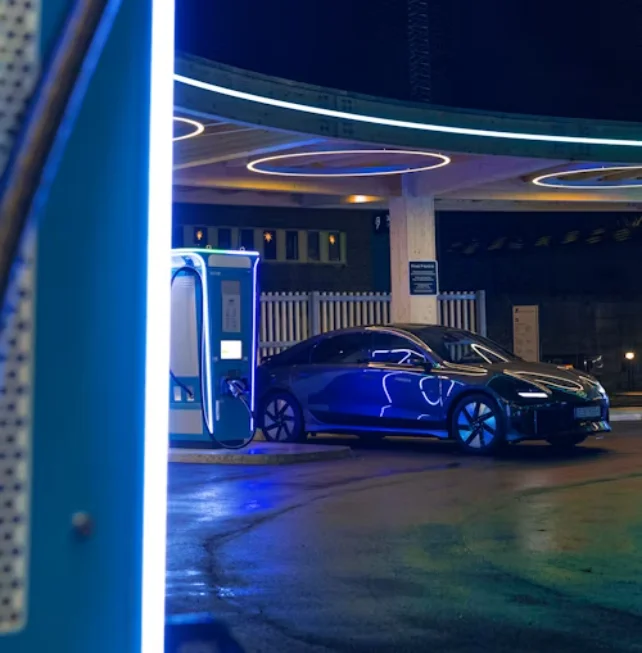
The Shift From Basic Navigation to Smart Energy Management
Lots of new apps check power grid states. They suggest good times to charge. This happens when power costs less. Or when clean energy from sun or wind is high. This change shows a bigger move. It goes from plain path finding to clever power handling. It’s not just about getting there; it’s about doing it in a way that saves money and helps the planet a bit.
What Features Define a Top EV Charging App in 2026?
A solid app goes past showing close plugs. It thinks ahead about what you need. People who know the field check them on data truth, how many places they cover, easy payments, and links to car systems like Apple CarPlay or Android Auto.
Real-Time Availability and Dynamic Pricing
Apps like ChargePoint and PlugShare give live news on charger states. You see if one is in use, broken, or open soon. Some show price changes based on busy times of day. This matters a lot if you run a group of vehicles or watch your travel money closely. Think about rush hour in a big city—prices can jump 30% without warning, but the app flags it.
Cross-Network Compatibility
In 2026, working across groups is vital. The top apps join many networks. These include Tesla Superchargers, Electrify America, and Shell Recharge. They put them all in one easy screen. So you skip handling lots of accounts just to charge once each day. It’s like having one key for several doors, which cuts down on frustration.
Which Apps Lead the Market?
The field is busy with rivals. But some clear winners stand out. They win through new ideas and trust from users. Here are ten key apps. They shape how drivers search for “ev charging stations near me.” Each one has its strengths, and picking the right one often depends on where you drive most.
1. ChargePoint
ChargePoint keeps its top spot with a huge worldwide setup and a simple screen. Its guess-ahead path tool looks at traffic flows. It predicts if a spot will be free later. This small help is great for people who plan trips and dislike lines. In tests, it cut wait times by up to 15 minutes on average routes.
2. PlugShare
PlugShare stays popular with everyday users. It pulls in comments and pictures from real people. If a charger sits behind a locked gate or does not work, you learn that first. This stops you from driving there for nothing. Users often share tips like “best spot for a quick coffee while charging,” adding a personal touch.
3. Tesla App
The Tesla app sets high marks for steady work in its own world. It links smooth with maps. It also warms your battery on the way. This speeds up the charge when you pull in. Many other apps still find it hard to match this exact step. For Tesla owners, it’s like the car talks directly to the charger—no fuss.
4. EVgo
EVgo puts focus on city ease. It has quick chargers in shops and parking spots in large towns. The app just added deals for regular users through a sign-up plan. This way might catch on across the field soon. I’ve seen how it helps in places like Los Angeles, where spots fill up by noon on weekends.
5. Shell Recharge
Shell Recharge uses its gas station spots well. It puts chargers where folks already pause for snacks or gas. The new version tracks carbon saved. You see how much CO₂ you skip per charge. This quiet push appeals to drivers who care about green choices. It’s a nice add-on, especially for those tracking yearly impact.
6. Electrify America
Electrify America is known for super-quick DC chargers on main roads. Its app now works with plug-and-charge for most fresh EV types. No need to tap a card. Just connect and start in seconds. This makes stops faster, cutting a 10-minute routine to under two. Road warriors love it for highway hauls.
7. Flo
Flo shines in Canada and northern US areas. It uses tough gear that handles bad weather. Its work time hits over 98%. The phone app links with home units too. You watch energy from one main view. This works if you charge at home or drive far. In snowy winters, that reliability feels like a real win.
8. Blink Charging
Blink has grown by teaming with hotels and city spots. It lets you book right in the app. This saves you during busy times like holidays. Public chargers get full quick then. One user story I read mentioned booking a spot at a motel during Christmas rush—it made the whole trip smoother.
9. Greenlots (Now Shell Recharge Solutions)
After joining Shell, Greenlots turned into a strong tool for businesses. It mixes fleet tools with user options. This fits if you manage many cars. You set charge times for all at once each day. It’s practical for companies with 50 vehicles or more, streamlining what used to be a paperwork nightmare.
10. Volta Charging
Volta sets itself apart with free charges at some store spots. Ads on screens next to units pay for it. This smart way mixes ease with brand shows. You charge while shopping, and the ads might even offer coupons. It’s a win for quick errands, though not every location has it yet.
How Do These Apps Improve Long-Distance Travel?
Long trips used to worry early EV drivers. Range was short. Stations were few and far between. But things have changed. Now, charging apps figure best paths. They think about hills, cold weather on battery power, and close breaks with food or restrooms.
Picture a trip across the country. You do not check each stop by hand. The app picks perfect charge breaks. It links right to your car’s map system. During a drive from New York to LA, one app suggested stops every 250 miles, matching my battery just right and including diners along the way.
Integrating Route Planning With Battery Analytics
Some apps use smart math that learns your habits. If you drive fast or load up the car often, it changes range guesses. This keeps plans real, not too hopeful. Over months, it gets better at matching your style. It’s like the app knows you after a few rides.
Are Payment Systems Finally Simplified?
Yes, and this is one of the main steps forward. In the start, each provider needed its own card or sign-in. That was a pain.
Today, most good apps group payments in one spot. It takes cards, online pay like PayPal, or even digital coins linked to green energy points in test runs overseas.
You start a charge by scanning a code at matching stations. No more switching apps. This flow saves time, especially at busy spots where every second counts.
How Are Data Privacy And Security Managed?
More links mean more chances for trouble. So makers put money into strong code locks. These guard user info like where you’ve been or pay details.
Big names follow rules like GDPR around the world. They explain clear what data they keep and the reason.
Some let you use as a guest without giving full info. You still find “find ev charging stations near me” and basics. But you stay low-key if you want. In a world full of data worries, this choice builds trust.
What Future Trends Will Shape EV Charging Apps?
Look for tighter ties between smart houses and cars. Your vehicle could set night charges when home power use drops low. Utilities set those limits.
Voice talk will grow too. You could ask your helper on the drive: “Find ev charging stations near me open now.” It gives quick picks without screen taps. Hands-free is key for safety.
Another area is V2G, or vehicle-to-grid. Extra battery power goes back to local lines in high-use times. Apps will handle this on their own. They balance ease and green aims at once. Imagine selling power back during a blackout—apps could make that everyday soon. Overall, these shifts point to a connected future where charging feels automatic and smart.
FAQ
Q1: How accurate are modern EV charging apps compared to older versions?
A: Truth has jumped a lot. Networks send live info now. This beats old setups that updated just once a week. In real use, error rates dropped from 20% to under 5% in busy areas.
Q2: Can these apps locate private residential chargers shared publicly?
A: Yes. Apps like PlugShare show home spots offered to others. But rules differ for each. You often need to ask the owner first. It’s hit or miss, but handy in suburbs.
Q3: Do all listed chargers support fast-charging standards?
A: No, not always. Check the plug kind like CCS1, CCS2, or CHAdeMO in each spot. Spots vary by place. Apps show this clear, even if maps look the same.
Q4: Are there fees associated with using these applications?
A: Map views stay free. But extra plans cost for better path tips and stats. These add-ons help if you drive a lot, like over 10,000 miles a year.
Q5: Will future updates integrate renewable energy sourcing data directly?
A: Teams are trying it now. Soon, you see if your charge comes from sun, wind, or water main. This helps pick greener times. It’s a step toward full eco-tracking in daily drives.