



What Makes the 2026 MacBook Pro’s M5 Chip a Breakthrough in Computing?
The 2026 MacBook Pro changes what people expect from a strong laptop. Its M5 chip uses Apple’s newest chip design. This brings a big step forward in computing power mixed with good energy use. For workers handling tough jobs, like machine learning or video editing, the M5 is more than a small step up. It marks a real change in how speed and power saving work together in one machine. Think about a video editor spending hours on a project. With the M5, they can finish faster without the laptop getting too hot or slowing down. This makes daily work smoother for many pros.
Architecture Advancements and Core Design
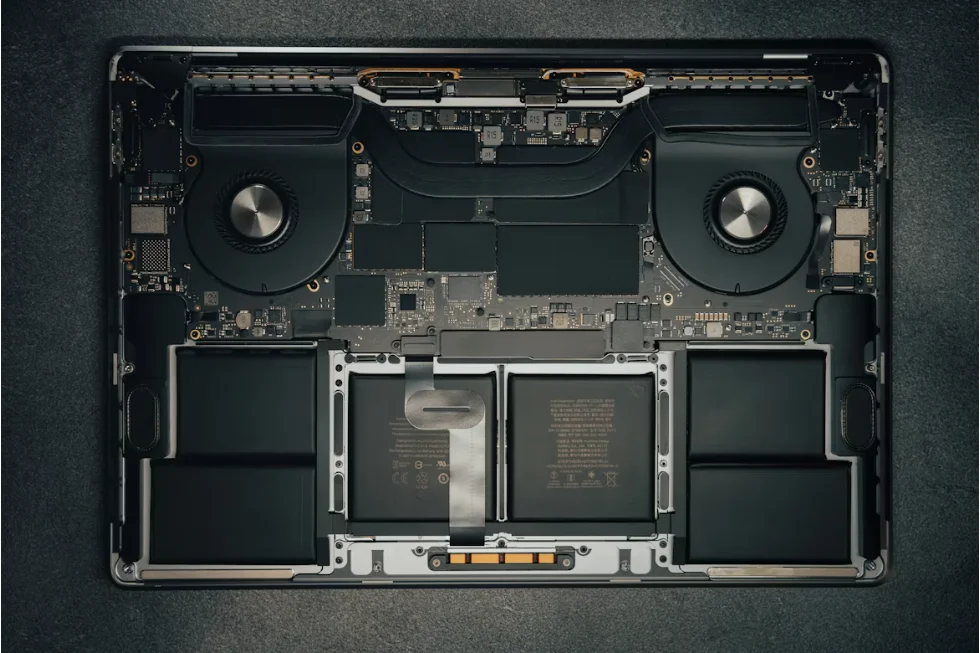
The M5 chip brings in a mixed setup that combines “Super Cores.” These are made for big tasks, such as 3D drawing or large simulations. The Super Cores deal with hard work. At the same time, smaller cores take care of everyday background jobs. This setup keeps strong performance going without too much heat or slowdowns. The number of transistors has grown a lot. As a result, it boosts speed and handles heat better. Now, the shared memory flow supports quicker data moves between the CPU, GPU, and Neural Engine parts. This cuts down waits when you switch tasks. For instance, a designer jumping from editing to rendering won’t face lags anymore.
Performance Gains Over Previous Generations
Test results show the M5 gets clear wins in single-core and multi-core speed over the M4 from before. Smart AI helps schedule tasks. It hands out resources based on how heavy the job is. So, you get steady results even during long, tough runs. Lower delays in busy times make apps like Logic Pro or Final Cut Pro feel quicker. These tools matter a lot to creative workers who need fast replies. In real life, a musician tweaking tracks might notice the difference right away. It’s like the laptop understands what you need without you asking.
Power Efficiency and Thermal Optimization
Apple’s better building method for the M5 cuts down on power use while keeping high speed. The chip has smart heat control. It changes cooling based on how hard the work is. Fans stay quiet for easy jobs. For big tasks, like working on 8K video, it spreads heat well. Better battery handling also stretches how long it lasts. This fits long work days without always plugging in. Imagine a photographer out shooting all day. They can edit on the go without worrying about the battery dying too soon.
How Do “Super Cores” Transform Professional Workflows?
The Super Cores stand out as a key part of the M5 chip. They are built to process data in real time at speeds once only for desktop machines. This changes how workers use their tools in a big way. It’s not just faster; it’s like having a helper that keeps up with your ideas instantly.
Real-Time Data Processing Capabilities
Super Cores speed up drawing steps, tricky simulations, and big data checks. They make parallel work better, so common blocks in multi-thread apps drop. Take scientific math or editing videos with many layers. Even as data piles up, the flow stays even. A researcher running models might finish in half the time compared to older chips. This saves hours that add up over a week.
Enhanced Machine Learning Performance
Special neural parts in the M5 push AI training and guessing right on the device. It works well with macOS tools like Core ML. This cuts the need for cloud help in machine learning steps. Tensor work has gotten much better too. Now, you can run advanced AI tasks, like making images on the spot or modeling language, straight from the laptop. For a developer building an app, this means testing AI features locally without slow uploads.
Creative Workflow Optimization
Creative workers get quicker video coding and easier 3D drawing. High-speed memory keeps ultra-clear content playing without skips. You get instant replies while editing, which helps move smoothly between scenes full of effects. This is a real help for designers on short deadlines. Picture a filmmaker cutting a trailer; they can tweak and see changes right away, keeping the creative spark alive.
Will the New GPU Architecture Redefine Visual Computing?
Apple’s fresh GPU setup in the M5 tries to match mobile graphics with desktop ones. It adds hardware boosts that change standards for visual work in pro settings. Sometimes, though, real-world tests show it shines brightest in Apple’s own apps, which might limit its edge elsewhere.
Unified Graphics Processing Framework
The built-in GPU shares memory with CPU parts through one setup. This stops extra data moves. Built-in ray tracing gives real light and shadow looks that used to need special GPUs. Better shader work improves detail in live drawing with programs like Blender or Unreal Engine. An animator creating scenes could render complex lights in minutes, not hours.
Support for Next-Generation Displays and Media Formats
The 2026 MacBook Pro handles 8K HDR screens right away. It offers great color range and light control for artists. The GPU breaks down new video types fast, so playback stays smooth at high rates. Smart refresh matches screen output to drawing speed. This stops tears in fast-moving parts. Video pros watching 8K clips will see crisp details without glitches.
Professional Graphics Application Integration
Apple’s Metal tools are tuned to make full use of the new GPU. This boosts speed in big creative programs like Adobe Premiere Pro and DaVinci Resolve. GPU sharing lets several apps use graphics at once. It’s great for switching between drawing and mixing tools. A team editing a commercial might run renders in the background while planning shots.
How Does the M5 Influence System Memory and Storage Efficiency?
Memory and storage often get ignored until problems hit in big projects. The M5 fixes this with a new shared memory plan and storage controls. They manage huge data sets without hitches. In practice, this means fewer frustrating pauses during saves or loads.
Unified Memory Architecture Enhancements
Higher memory flow makes data-heavy jobs, like building code or handling big data, run quicker. Fast links cut waits between CPU, GPU, and Neural Engine. Smart caching changes memory use based on what’s running. A coder compiling a large program will notice files open almost instantly now.
Advanced Storage Controller Capabilities
The PCIe 5 SSD link doubles read and write speeds from older models. Smart squeezing cuts extra work in file moves. It keeps data safe and strong with built-in secure parts in the chip. For backups of big files, this means transfers finish twice as fast, saving time on routine tasks.
Workflow Impact on Large Data Sets and Applications
Developers see quicker file searches in huge storage or virtual setups like Docker containers or AI data sets. Shorter waits for input/output keep multitasking steady under heavy loads. This helps research groups with huge data checks. One team might process a terabyte of info without the system freezing up.
Can macOS Leverage the Full Potential of M5 Super Cores?
macOS got updates with the M5 hardware. It aims to make the most of the mixed setup through smart job planning and ahead-of-time resource sharing. Overall, it feels like the software and chip were made for each other, though some older apps might need tweaks to catch up.
System-Level Optimization for Hybrid Architecture
The macOS core picks jobs for different power levels based on real-time checks. It spreads energy-smart tasks so background stuff doesn’t waste power. Key work gets full Super Core use. This keeps things running smooth without draining the battery fast.
Integration With Developer Tools and Frameworks
New Xcode versions support Super Core tweaks during app building. Metal API changes help parallel work in graphics apps. Swift tools cut short paths for multi-thread runs. This drops waits in heavy builds. A game developer could compile levels quicker, testing ideas sooner.
User Experience Improvements Through Software-Hardware Synergy
Quick wake-up uses low-power states to start sessions fast after sleep. Ahead-of-time resource sharing holds steady speed when many apps run. Better background work keeps flow even with several programs open. Users switching tabs or apps won’t feel slowdowns.
How Does the 2026 MacBook Pro Compete in the High-End Laptop Market?
Apple sees the new MacBook Pro as more than a gadget. It’s part of a full system where hardware lasts and works reliably for pros. This sets it apart from x86 rivals. In markets like creative fields, it’s gaining ground, but price might hold some back.
Comparative Analysis With Competing Architectures
x86 setups often use parts from others, so they lack tight links between chip and software. Apple’s full control gives better overall tuning. The ARM base helps in portable work spots. It keeps steady power where old laptops spike and drop. For mobile editing, this means reliable runs all day.
Target Audience and Professional Adoption Trends
Creative pros gain from better power-to-speed balance. Science areas pick up Apple Silicon fast for its low-energy high-compute power. Businesses like its safe design and steady work across gear like iPad Pros or Studio Displays. Adoption is growing, with many studios switching over the last year.
Long-Term Value Proposition for Professionals
More than just numbers, the real worth comes from lower costs over time thanks to energy savings. Hardware that lasts plus ongoing macOS fixes make shifts to new chips easy. No big workflow breaks happen. This is uncommon in top laptops. A pro using it for five years might save on power bills alone.
What Future Innovations Could Follow the M5 Era?
After the M5, things point to closer ties between AI boosts, better building ways, and device teamwork. This could shape Apple’s next big step in chip making. Who knows, maybe we’ll see even wilder ideas like built-in health sensors down the line.
Potential Evolution of Multi-Core Architectures
Coming chips might have special AI parts for spread-out guessing jobs or ideas from quantum math. These could mix old computing with brain-like logic we use now. It might open doors to smarter, faster systems for everyday pros.
Advancements in Fabrication Technology
Moving to under-2-nanometer builds will pack more transistors. New stuff like graphene might help spread heat way better. This could end old cooling issues. Imagine a laptop that never needs a fan—quiet and cool for any task.
Expanding Ecosystem Synergy Across Devices
One design will let Macs, iPads, and iPhones team up through shared power pools. Idle parts can help out via mixed cloud setups. This stretches what devices can do past their own limits. A user might edit on Mac, then pick up on iPad with no loss in speed.
FAQ
Q1: What are “Super Cores” in the M5 chip?
A: They are high-performance cores built specifically for demanding computational tasks such as rendering or simulation while maintaining energy efficiency through adaptive workload distribution.
Q2: How does the new GPU differ from previous generations?
A: The M5 GPU integrates hardware ray tracing support, improved shaders, and unified memory access which together deliver higher visual fidelity at lower latency levels than before.
Q3: Is battery life improved despite higher performance?
A: Yes, thanks to advanced fabrication processes and dynamic thermal controls that minimize energy waste under variable workloads without sacrificing speed.
Q4: Can developers optimize apps easily for Super Cores?
A: Updated developer tools like Xcode now offer native optimization frameworks allowing efficient utilization of Super Cores through revised compiler pathways.
Q5: How does it compare against other premium laptops?
A: Its vertically integrated design offers unmatched synergy between software and hardware layers leading to sustained performance advantages over modular x86 competitors in similar price ranges.