



The practical answer for most Verizon users
A Verizon SIM card is no longer only a small removable chip. As of October 2026, Verizon service can be linked to either a physical SIM card or an eSIM profile built into a compatible phone, tablet, smartwatch, hotspot or connected device. For most current phones, the main question is not where to buy a card. It is whether the device should use a physical SIM, an eSIM, or a replacement profile activated through My Verizon.
The basic choice is straightforward. Use eSIM if the device supports it and Verizon confirms compatibility. Use a physical SIM when the device requires one or when a removable card is more practical. Replace the SIM if it is damaged, lost, blocked, too old for the device, or not properly associated with an active Verizon line. Verizon’s support materials also point users toward SIM Protection and Number Lock because SIM changes now have real account-security implications, not just setup consequences.
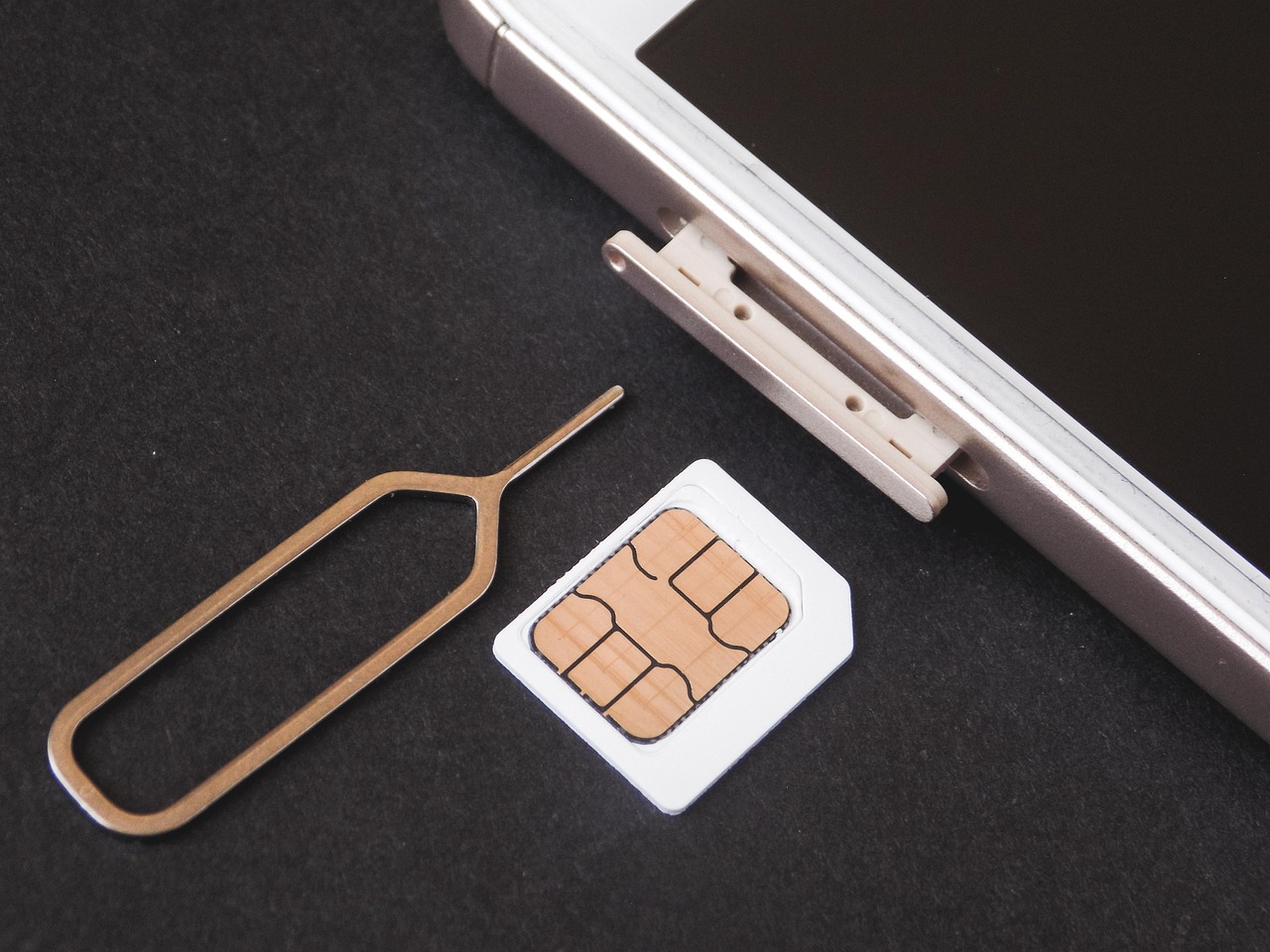
What a Verizon SIM card does in 2026
A SIM identifies a device and line to Verizon’s mobile network. It tells the network which service the device is allowed to use, including calling, messaging and mobile data. It does not store apps, photos, videos or most of the personal content people usually worry about when changing phones. That distinction matters: replacing a SIM should not erase media from the phone, while replacing or resetting the phone itself can affect stored data.
Verizon describes SIM in two forms: a removable physical card and an embedded digital SIM, commonly called eSIM. The physical version is the familiar nano-SIM used by many LTE and 5G phones. The eSIM version is downloaded to supported hardware and can connect to Verizon without inserting a card.
| Option | What it is | Best fit |
|---|---|---|
| Physical SIM | A removable card inserted into a SIM tray or slot | Older phones, some Android devices, hotspots, tablets and devices without eSIM support |
| eSIM | A digital SIM profile installed on compatible hardware | Recent smartphones, U.S. iPhone 14 and newer models, watches and some tablets |
| Dual SIM setup | A device using more than one SIM profile or SIM type | Users who separate work and personal lines or use a travel line alongside Verizon |
The network context has also changed. Verizon retired its 3G CDMA network on December 31, 2022, so the practical baseline today is 4G LTE or 5G service on a compatible device. An old Verizon-branded phone or legacy card is not enough if the device cannot support the network features Verizon now requires.
When to use a physical SIM, eSIM or replacement card
Use eSIM when the device supports it
eSIM is usually the cleaner option for recent phones because there is no card to ship, lose or damage. Verizon’s current activation flow supports eSIM setup through My Verizon for many bring-your-own-device situations. U.S. iPhone 14 and newer models do not use a physical SIM card, so those devices must activate with eSIM on Verizon. Some Android models also support eSIM, but compatibility depends on the device model, software, lock status and Verizon’s eligibility checks.
eSIM can also help when a physical SIM is missing or the tray is damaged. It is not a universal fix, though. If Verizon does not recognize the device as compatible, or if the device is locked to another carrier, activation may fail even if the phone technically supports eSIM.
Use a physical SIM when the device requires it
A physical Verizon SIM card still matters for many devices. Some phones, tablets, mobile hotspots, routers and connected devices continue to rely on a removable card. Physical SIM cards can also be practical when moving service among compatible devices that still have a SIM tray, although Verizon may require setup confirmation when a SIM is moved to a new device.
Users should not cut an older SIM to fit a smaller tray. Most current phones use nano-SIM cards, and a modified card can damage contacts or fail to seat properly. A replacement card or eSIM activation is safer than forcing a mismatched card into a device.
Replace the SIM when the card or account link is the problem
A Verizon SIM card can fail for physical or account-related reasons. Verizon’s troubleshooting guidance lists several possible causes: the line may be suspended or disconnected, the card may be damaged or dirty, the SIM may be blocked, or the card may not match the device. Verizon also notes that a 4G SIM used in a 5G device may not provide all expected services.
If the phone supports eSIM, Verizon may let the customer activate an eSIM instead of ordering a replacement physical card. If a physical card is needed, Verizon says account owners or account managers can order a replacement through My Verizon, choose delivery or pickup options, and may need valid government-issued photo identification for in-store pickup.
How activation and BYOD checks work
For new and replacement devices, Verizon’s activation process generally starts with the device identity, the line being used and the SIM type. The customer may need the device IMEI, the eSIM IMEI on dual-SIM devices, or the SIM ID, also known as the ICCID, printed on or associated with a physical card.
- Check that the device is unlocked or otherwise eligible for Verizon service.
- Confirm that the device supports Verizon’s current LTE or 5G network requirements.
- Choose the line being activated, upgraded or moved.
- Select eSIM if the device supports it and Verizon offers that option.
- Enter or confirm the SIM ID when using a physical SIM card.
- Complete account verification and follow the phone’s on-screen activation steps.
- Restart the device if service does not appear after activation completes.
Bring-your-own-device users should be especially careful. A phone can be technically capable of LTE or 5G and still fail activation if it is locked, reported lost or stolen, unsupported for Verizon’s bands and provisioning, or tied to another account state that prevents activation. Verizon’s own BYOD guidance says the device’s SIM card or eSIM must be compatible with the Verizon mobile network.
The activation flow can also differ between consumer, prepaid and business accounts. A family-plan smartphone upgrade is not the same as activating an enterprise tablet fleet or a prepaid hotspot. For readers comparing device setup options across categories, Roads News keeps broader coverage in its Devices section.
Troubleshooting a Verizon SIM card that is not working
SIM problems often look similar on the screen: no service, SOS, SIM not recognized, activation pending or data that works while calling does not. The cause can be physical, account-based or related to network provisioning.
| Symptom | Possible reason | Practical next step |
|---|---|---|
| SIM not recognized | Card inserted incorrectly, dirty contacts, damaged tray or damaged card | Power down, reinsert the card, clean contacts gently with a dry lint-free cloth and inspect the tray |
| No service after moving SIM | The SIM may need to be set up for the new device | Use Verizon’s activation or switch-device flow rather than assuming the move is complete |
| 5G device lacks expected features | Older SIM or provisioning may not support all services | Check whether a new SIM or eSIM activation is required |
| Activation fails | Device lock, incompatible IMEI, suspended line or account block | Verify device eligibility, account status and SIM association |
| Repeated PIN errors | SIM lock or PUK issue | Stop guessing codes and use Verizon account tools or support instructions |
Simple steps still resolve many cases: toggle airplane mode, restart the phone, check that the line is active, remove and reinsert the card, and verify that the right line is selected on dual-SIM devices. If those steps fail, replacing the SIM is reasonable. It should not be the first assumption, however, when an account block or incompatible phone could be the real issue. See also: AI.
Verizon’s SIM FAQ also says Verizon SIM cards use 1111 as the default SIM PIN, but users can change it. This is different from the account PIN, the phone passcode and Number Lock. If a user changes the SIM PIN and forgets it, Verizon says customer service cannot see the unique PIN, so recovery must follow the carrier’s account process.
SIM swap security is now part of the SIM card decision
SIM cards used to be discussed mainly as a device setup topic. That is no longer enough. SIM swap fraud happens when someone tries to move a victim’s mobile number to another SIM or eSIM. Port-out fraud is related but involves moving the number to a different carrier. Both attacks can matter because phone numbers are often used for account recovery and security codes.
The Federal Communications Commission adopted SIM swap and port-out fraud rules in November 2023 and published them in the Federal Register in December 2023. The policy direction was straightforward: wireless providers needed stronger customer authentication, customer notification and tools that help users block unauthorized SIM changes or number ports. The compliance timeline included review steps, but the practical takeaway for consumers is clear: control of a mobile number is now a security issue.
Verizon currently offers two account tools that directly affect this risk. SIM Protection is designed to block unauthorized SIM or device changes on selected lines. Number Lock is designed to block unauthorized transfer of a mobile number to another carrier until the lock is turned off. Verizon’s own materials say SIM Protection can block transactions that require a new SIM, including SIM swaps, upgrades and some BYOD activity, so users should remember to turn it off only when a legitimate change is needed and turn it back on afterward.
- Use SIM Protection to reduce the risk of unauthorized SIM or device changes.
- Use Number Lock to reduce the risk of unauthorized port-out attempts.
- Do not confuse SIM Protection with the SIM PIN stored on the card.
- Keep the Verizon account password, account PIN and recovery email secure.
- Treat unexpected SIM-change or port-out notifications as urgent.
Buying, moving and replacing a SIM without creating new problems
The safest way to get a Verizon SIM card is through Verizon’s account tools, Verizon retail channels or authorized support paths. Random third-party SIM listings can create problems if the card is already used, incompatible or not suitable for the account type. A card by itself does not create active service; it must be associated with a Verizon line and allowed on the network.
When moving a SIM from one phone to another, check three things before relying on it: the destination phone must be compatible, the SIM must fit without modification, and the line must complete Verizon’s setup process. If Verizon sends a confirmation text after a SIM move, follow the setup link rather than ignoring it. That message is part of ensuring the device and SIM are correctly associated with the network.
For replacements, the decision tree is simple. If the device supports eSIM and Verizon offers eSIM activation for that line, use eSIM. If the device requires a card, order a replacement physical SIM through the account. If the phone is a 5G device using an old 4G-era card, ask whether a newer SIM or eSIM profile is needed to access expected services. If the line is protected by SIM Protection, expect to disable the protection before legitimate SIM-related changes can proceed.
Frequently asked questions
Can I use an old Verizon SIM card in a new phone?
Sometimes, but it depends on the card, the phone and the account. The new device must be compatible with Verizon, the SIM must fit and be in working order, and the line may need to be confirmed through Verizon’s activation or switch-device process. For a 5G phone, an older SIM may not support every expected service.
Do I need a physical Verizon SIM card for iPhone 14 or newer?
No for U.S. models. Verizon’s iPhone activation guidance says iPhone 14 and newer devices do not use a physical SIM card and activate with eSIM. International model differences can exist, so the device’s country or region matters.
How do I get a replacement Verizon SIM card?
Verizon directs customers to My Verizon for new or replacement SIM cards. If a physical card is required, Verizon stores may provide same-day replacement, while authorized retailers may have different timing. In-store pickup generally requires the account owner or account manager with valid government-issued photo identification.
Is eSIM safer than a physical SIM card?
eSIM removes the risk of losing or physically damaging a removable card, but it does not eliminate account takeover risk. Stronger protection comes from account security: SIM Protection, Number Lock, strong credentials, secure recovery methods and attention to unexpected carrier notifications.
Will replacing my Verizon SIM delete my photos or apps?
No. A SIM identifies service on the mobile network. It does not store your apps, photos or videos. Users should still back up important phone data before replacing, resetting or trading in a device because those actions can affect content stored on the phone itself.