



Why the choice is changing
Choosing music production software in 2026 is no longer just a question of finding the “best” digital audio workstation. It is about selecting a production environment that fits how a creator writes, records, edits, mixes, collaborates and delivers finished work. The first checks should be workflow, operating system, recording requirements, plug-in compatibility, collaboration habits and rights obligations. A beatmaker, a singer-songwriter, a film composer and a post-production editor may all need a DAW, but they rarely need the same setup.
The buying context has also changed because recorded music remains a growing digital business. IFPI reported in its Global Music Report 2026 that global recorded music revenues grew 6.4%, paid streaming revenue rose 8.8%, paid streaming accounted for 52.4% of global revenues, and paid streaming subscription accounts reached 837 million. That growth does not make every software tool essential, but it does increase the pressure on creators and studios to move faster, manage more ideas and deliver release-ready files across more formats. (ifpi.org)
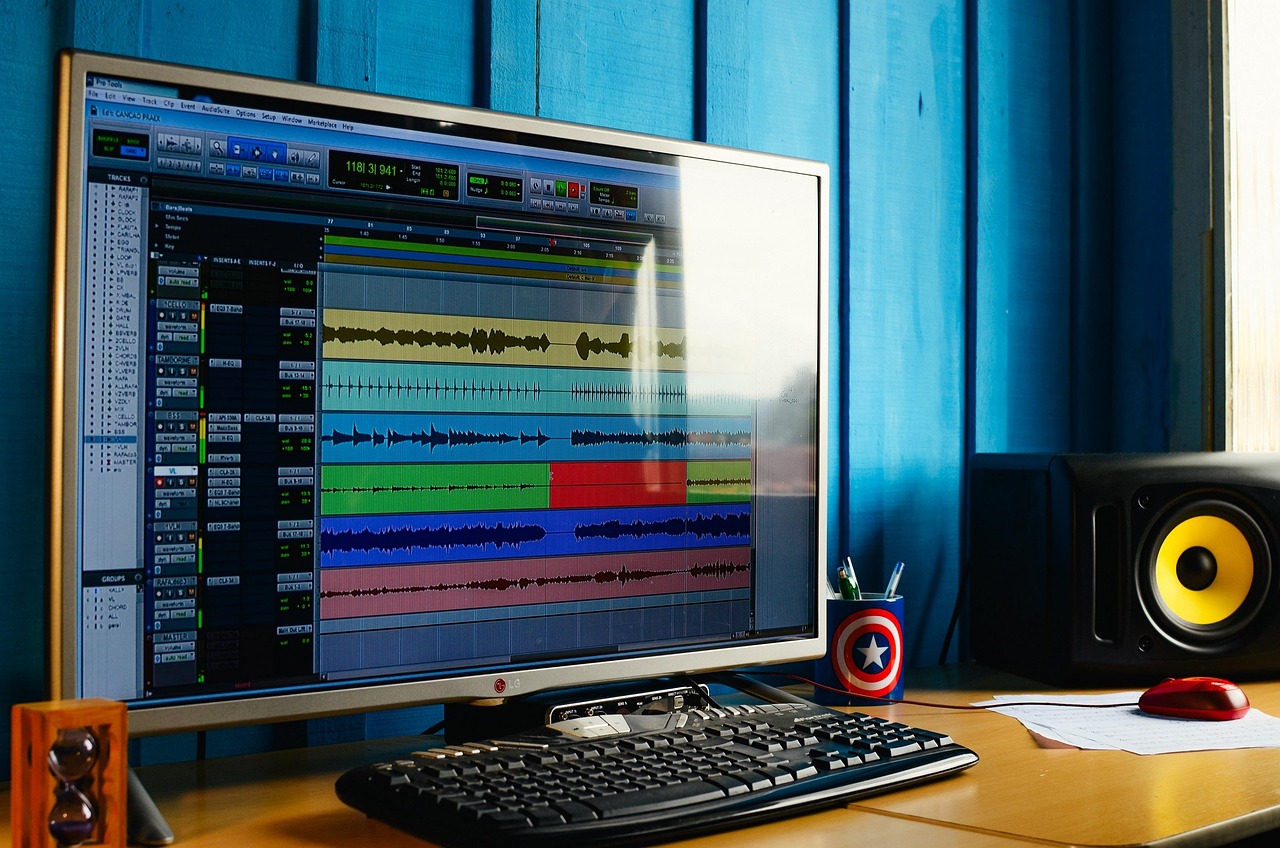
For readers following broader technology coverage, this Software briefing focuses on the practical buying and workflow questions behind today’s production tools rather than ranking DAWs as if they served identical users.
What counts as music production software
Music production software usually starts with the DAW, but a modern production setup is broader than one application. The DAW is the main environment for recording audio, programming MIDI, arranging songs, editing performances and mixing. Around it sit software instruments, samplers, effects plug-ins, mastering processors, notation tools, audio repair systems, stem separation utilities, sample libraries and collaboration services.
The important point for buyers is how these tools connect. A producer may sketch a loop in one app, record vocals in another, tune or align audio through an integrated plug-in, mix in a DAW and export stems for a collaborator. A system that looks inexpensive at the start can become restrictive if it blocks a common plug-in format, lacks stable audio driver support or makes project exchange difficult.
For beginners, the DAW should not be judged only by the number of included instruments. Clear editing, reliable export, sensible file management and good learning resources often matter more. For professional users, the deciding factors tend to be session compatibility, repeatable routing, latency performance, automation depth, control surface support and confidence that older projects will reopen accurately.
What recent DAW updates reveal
Official release notes and product pages from major developers show a consistent direction: leading music production software platforms are adding workflow recovery, stem tools, cloud-connected features, immersive audio support, accessibility fixes and tighter hardware compatibility. Ableton’s Live 12 notes list built-in local stem separation in Live Suite from 12.3 and a 12.4.6 maintenance release dated September 15, 2026; Apple’s Logic Pro notes show continuing updates through Logic Pro 12.3.1 and earlier additions such as Flashback Capture and enhanced Stem Splitter; Avid lists Pro Tools 2026.4 and 2026.4.1 updates with immersive and hardware support; Image-Line describes FL Studio 2026 features including cloud backup, the rebuilt FLEX instrument, Gopher assistance, chord detection and an audio logger. (ableton.com)
| Software direction | Recent evidence | Why it matters |
|---|---|---|
| Stem and idea recovery tools | Ableton Live added local stem separation in Live Suite, while Logic Pro and FL Studio have emphasized tools that can recover or split musical ideas. | Producers increasingly expect remix, sampling and rescue workflows to be available inside the DAW rather than handled only by separate utilities. |
| Immersive and post-production workflows | Pro Tools 2026.4 added MPEG-H support, immersive panning and related post-production workflow updates. | Music and audio software is moving closer to broadcast, spatial audio and media delivery requirements. |
| Cloud and assistant features | FL Studio 2026 highlights FL Cloud storage and hands-on Gopher assistance inside the DAW. | Creators increasingly want software to manage files, explain workflows and reduce project housekeeping. |
| Maintenance and compatibility | Ableton, Apple, Steinberg, Bitwig and Cockos continue publishing frequent fixes and compatibility updates. | Stability, hardware support and bug fixes are part of the purchase decision, not a secondary concern. |
Steinberg’s Cubase 15 release notes show a June 3, 2026 maintenance update, Bitwig says Studio 6.1 is available for users with an active upgrade plan as of June 18, 2026, and Cockos listed REAPER 7.82 as of October 4, 2026. These dates are useful because they indicate active development, but they do not prove that one product is the right choice for every studio. (steinberg.net)
Core criteria before buying
Start with the music you make
A loop-based electronic producer may value fast clip launching, audio warping, sampling and MIDI generation. A band recording live drums may care more about multitrack editing, comping, take management and low-latency monitoring. A composer writing for picture may need video support, tempo mapping, notation exchange and strong performance with large templates. A mix engineer may prioritize routing, automation, metering, recall and session import.
This is why feature lists can be misleading. A DAW with hundreds of instruments is not automatically better for recording a four-piece band. A DAW with deep post-production features may be excessive for someone making short-form beats on a laptop. The better question is whether the software reduces friction in the tasks you repeat most often.
Check operating system and hardware support
Before comparing prices, confirm whether the software runs well on your current computer, audio interface and controller. macOS, Windows and Linux support varies significantly across DAWs and plug-ins. Apple silicon, Windows on Arm, graphics acceleration and new operating system releases can affect real sessions, especially when third-party plug-ins are involved.
A production computer should be treated differently from a casual laptop. If paid work depends on a system, avoid installing major operating system updates until the DAW, audio interface driver and critical plug-ins have confirmed compatibility. Release notes are not glamorous, but they often matter more than new creative presets.
Understand plug-in formats
Plug-in compatibility remains one of the most important technical checks. Steinberg describes VST 3 as an interface for integrating software synthesizers and effects in DAWs, with its SDK used by plug-in and host developers. CLAP, developed by Bitwig and u-he, is positioned as an open plug-in standard with modern CPU and developer-oriented features. PreSonus describes ARA Audio Random Access as an extension that expands communication between plug-ins and DAWs, giving plug-ins more direct musical access to audio data. (steinbergmedia.github.io)
In practical terms, a plug-in bought for one host may not behave the same way in another. Check whether your workflow needs VST3, Audio Units, AAX, CLAP, ARA support or a proprietary format. This is especially important for vocal tuning, guitar amp simulation, orchestral libraries and mastering chains.
AI and stem tools need a rights check
Many 2026 music production software discussions now include AI-assisted arrangement, stem separation, lyric drafting, source separation or assistant-style controls. These features can be useful, but they also create rights, disclosure and distribution questions. On July 10, 2026, IFPI, RIAA, A2IM, WIN, IMPALA, the Grammys, SAG-AFTRA and the Human Artistry Campaign announced a voluntary track-level labeling approach for generative AI in sound recordings, distinguishing between “AI-Generated” and “AI-Assisted.” (ifpi.org)
Later, on July 30, 2026, IFPI announced principles for official chart eligibility involving recordings developed with generative AI. The criteria include lawful authorization, a substantially human-made recording and no manipulation concerns. For producers, the point is not to avoid every automated tool. It is to document what was used, read license terms and understand whether a distributor, label, client or chart body may require disclosure. (ifpi.org)
Stem separation requires the same discipline. It can help with remixing, restoration, education and quick arrangement ideas, but separating commercial recordings does not automatically grant permission to release a derivative work. The software may make a task technically simple while the rights position remains separate.
Choosing by user type
Beginners should look for a DAW that teaches core concepts clearly: tracks, regions, MIDI notes, audio clips, effects inserts, sends, automation and export. A limited but understandable version is often better than a complex package that discourages finishing songs.
Beatmakers and electronic producers should prioritize fast MIDI entry, sampling, step sequencing, drum tools, audio warping, clip-based experimentation and a strong built-in instrument library. Cloud sound access can help, but it should not replace disciplined file organization.
Vocal producers and songwriters should look closely at comping, pitch tools, lyric or note features, audio editing speed, headphone mix routing and quick idea capture. Features that recover unrecorded performances can be genuinely useful during writing, but they do not replace good session habits.
Recording engineers should focus on stability, low-latency monitoring, multitrack editing, session backup, routing clarity and hardware integration. For this group, a predictable system is often more valuable than the newest creative assistant.
Composers and media producers should check video playback, tempo mapping, articulation management, notation exchange, surround or immersive workflows and performance with large sample templates. Project organization and long-term recall are critical because media projects often return months later for revisions.
Collaborators should ask what other people in their circle use. The most elegant DAW can become inefficient if every session requires messy exports. Audio stems are broadly portable, but full project exchange still depends on shared software, plug-ins and version management.
A practical checklist
- Confirm that the DAW supports your operating system, audio interface and essential controllers.
- List the plug-in formats you need before buying instruments or effects.
- Test recording latency, MIDI timing and export behavior with your own projects.
- Check how the software handles missing samples, cloud files and project backups.
- Read recent release notes to judge stability and active maintenance.
- Understand license terms for included loops, AI-assisted features and cloud content.
- Choose the DAW that helps you finish work, not the one with the longest feature page.
The safest purchasing path is to download trial versions, recreate one real project and compare the friction. How quickly can you record a vocal, edit timing, add a software instrument, automate a mix move, export stems and reopen the project? That test is more useful than another generic ranking.
Frequently asked questions
What is the difference between a DAW and music production software?
A DAW is the central recording, editing and mixing application. Music production software is the broader category that includes DAWs, plug-ins, instruments, samplers, notation tools, mastering utilities, stem tools and collaboration services.
Is paid software necessary for making professional music?
Not always. Professional results depend on writing, performance, engineering skill, monitoring and workflow. Paid software can add speed, support, instruments and compatibility, but a smaller setup can still produce release-ready work if it is stable and well understood.
Should I choose software based on AI features?
AI features can speed up tasks such as stem separation, search, organization or idea recovery, but they should not be the only deciding factor. Check quality, privacy settings, rights terms and whether the results fit your release plans.
Do all plug-ins work in every DAW?
No. Plug-ins depend on format and host support. VST3, Audio Units, AAX, CLAP and ARA-related workflows serve different ecosystems, so compatibility should be checked before buying or switching DAWs.
What is the best way to compare DAWs?
Use the same real project in each trial version. Record audio, program MIDI, edit, mix, export and reopen the session. The DAW that feels fastest and most reliable for your own work is usually a better choice than the one with the broadest marketing claims.