


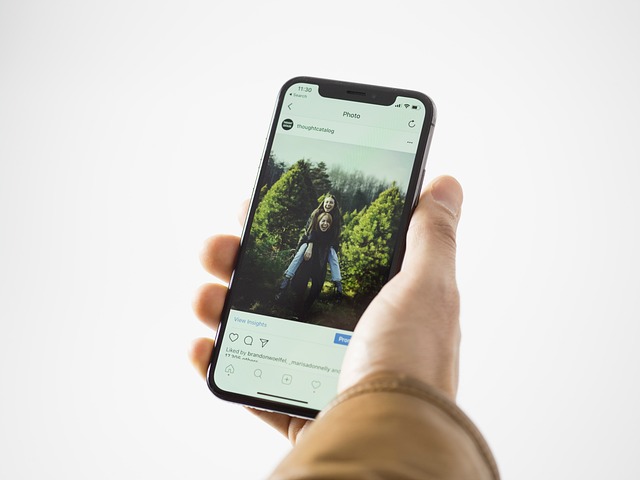

The iPhone Camera App Is Being Revamped for ‘Professional’ Photographers, Report Says
Apple’s latest revamp of the iPhone camera app signals a deeper commitment to professional-grade mobile imaging. The new iPhone introduces advanced sensor architecture, refined optics, and an interface designed for field professionals. It bridges the gap between smartphone convenience and studio-level control. With computational photography and Apple’s silicon working in tandem, the device redefines what handheld cameras can achieve. For photographers accustomed to DSLRs or mirrorless systems, this evolution represents not just an upgrade but a shift in workflow philosophy.
The Evolution of iPhone Photography Capabilities
The continuous refinement of Apple’s imaging hardware has transformed mobile photography from casual snapshots into professional production tools. Each generation of the new iPhone pushes boundaries in light capture, color science, and real-time processing.
Advancements in Sensor and Lens Technology
Recent models feature larger sensors that allow more light per pixel, improving low-light performance and dynamic range. Multi-element lens assemblies reduce distortion while maintaining edge-to-edge sharpness. Apple’s optical coatings further minimize flare and ghosting under complex lighting conditions. These physical improvements complement computational enhancements like Smart HDR and Deep Fusion, which balance highlights and shadows with precision once reserved for full-frame cameras.
Integration of Hardware and Software for Professional Output
Apple’s A-series chips integrate directly with the camera pipeline, enabling real-time image analysis at the silicon level. Machine learning models trained on millions of images assist in tone mapping, face detection, and noise reduction without perceptible delay. This synergy allows the new iPhone to produce RAW-quality images faster than many dedicated cameras process JPEGs. Efficiency gains here aren’t just technical—they reshape how professionals shoot on location.
Comparison With Dedicated Professional Cameras
While full-frame sensors still hold an advantage in sheer depth-of-field control, the computational adaptability of smartphones is closing that gap fast. Professionals now use iPhones alongside DSLRs for commercial shoots because they deliver consistent color profiles across scenes with minimal setup time. The portability factor makes them invaluable for documentary or on-the-go content where discretion matters as much as quality.
The Revamped Camera Interface for Professionals
The redesigned camera app reflects Apple’s intent to appeal directly to creators who demand manual control without sacrificing speed. It merges intuitive usability with advanced configurability.
Design Philosophy Behind the New Camera App
The interface prioritizes clarity: fewer nested menus, more tactile feedback through haptic cues, and live exposure indicators visible at a glance. Customizable control layouts let users assign frequently used parameters like focus peaking or histograms to accessible gestures—mirroring professional cameras’ ergonomics while preserving smartphone simplicity.
Enhanced Manual Controls and Workflow Optimization
Manual ISO, shutter speed, aperture simulation, and white balance adjustments are now native features rather than hidden developer options. File management supports both ProRAW stills and ProRes video formats up to cinematic bitrates. Integrated metadata tagging simplifies sorting by lens type or lighting condition during post-production—a small but meaningful improvement for studio workflows.
Integration With Third-Party Editing Tools
Seamless interoperability with editing platforms extends the phone’s utility beyond capture. Photographers can export directly into desktop-grade software like Final Cut Pro or Lightroom via AirDrop or iCloud Drive without compression loss. This continuity shortens turnaround times between shoot and delivery—critical in commercial environments where deadlines dictate creative decisions.
Computational Photography as a Professional Tool
Beyond hardware lies Apple’s most significant innovation: computational imaging that interprets rather than merely records light data. This shift redefines image creation as a dialogue between sensor physics and algorithmic inference.
The Role of AI in Image Enhancement
AI-driven scene recognition now adjusts exposure curves dynamically based on subject type—faces receive softer tonal transitions while landscapes preserve microcontrast in textures like foliage or stone. Real-time HDR blending prevents clipped highlights even when shooting directly into sunlight. Over time, adaptive algorithms learn user preferences, subtly adjusting rendering styles toward individual aesthetics.
Bridging the Gap Between Smartphone and Professional Cameras
Computational methods compensate for smaller sensors by simulating optical characteristics such as bokeh depth using depth maps generated from multiple lenses. While purists may argue about authenticity, many professionals acknowledge that these results rival traditional optics under controlled lighting conditions. Mobile imaging thus becomes not a compromise but an alternative creative language.
Evolving Perception Among Professionals Regarding Smartphone-Based Photography
Once dismissed as consumer gadgets, smartphones are now legitimate tools within professional kits. Editorial photographers increasingly use them for behind-the-scenes coverage or quick social media deliverables because their color science aligns closely with calibrated monitors used in print workflows.
The Ecosystem Supporting Professional Photographers
Hardware alone doesn’t define professionalism; it’s the ecosystem that sustains efficiency from capture to publication.
Integration With Apple’s Creative Suite and Cloud Services
iCloud synchronization allows instant access to captured files across devices—an editor can begin grading footage moments after it’s shot on location. Compatibility with Photos libraries ensures non-destructive edits remain consistent across macOS and iPadOS platforms. Combined with Final Cut Pro integration, this creates a unified production chain inside Apple’s ecosystem without format conversions or data loss.
Accessories Expanding Professional Functionality
External Lenses and Filters
Third-party lens systems expand focal ranges from ultra-wide to telephoto equivalents exceeding 200mm effective reach. Magnetic mounts simplify swapping filters mid-shoot without breaking focus lock—a feature appreciated during live events or travel assignments.
Stabilization Tools and Rigs
Gimbals calibrated through Bluetooth maintain horizon stability even during rapid movement shots. Lightweight rigs turn handheld setups into full-scale production units capable of sustained recording sessions with external power sources attached discreetly beneath grips.
Market Implications for the Photography Industry
Apple’s move reshapes expectations not only among users but within the broader imaging market itself.
Redefining Professional Standards Through Accessibility
By embedding pro-level tools into mainstream devices, Apple lowers entry barriers for creators who previously relied on expensive gear ecosystems. Freelancers covering news or social campaigns can now deliver broadcast-ready footage directly from their phones—an efficiency shift comparable to digital replacing film two decades ago.
Competitive Landscape Among Smartphone Manufacturers
Competitors emphasize multi-lens arrays or AI-first strategies; however, Apple focuses on holistic integration where hardware design supports software intelligence seamlessly. This approach may redefine benchmarks for professional mobile imaging quality over pure megapixel counts—a subtle but industry-shaping distinction.
FAQ
Q1: What major change defines the new iPhone camera app?
A: It introduces a redesigned interface emphasizing manual control and pro-level customization aimed at photographers seeking DSLR-like usability on mobile devices.
Q2: How does computational photography improve image quality?
A: It uses AI-based processing to enhance dynamic range, reduce noise, and simulate optical effects traditionally achieved through large sensors or specialty lenses.
Q3: Can professionals rely solely on an iPhone for commercial work?
A: Many already do for specific contexts such as editorial shoots or travel content where portability outweighs marginal differences in sensor size.
Q4: What file formats does the new system support?
A: It supports Apple ProRAW for stills and ProRes codecs for video recording up to high bitrates suitable for professional editing pipelines.
Q5: How does Apple differentiate its approach from competitors?
A: Instead of focusing solely on hardware specs like lens count, Apple integrates its silicon architecture tightly with software algorithms to deliver consistent professional-grade results across scenarios.