



Choosing music making software is not about finding the largest bundle. It is about matching the tool to the workflow and to the limits you are actually likely to reach. A beginner making demos may need straightforward recording, drum instruments and reliable export options. A producer finishing releases may need flexible audio editing, MIDI tools, plug-in support, stems, automation and predictable licensing. In 2026, the choice is less obvious because free browser tools, affordable perpetual licenses, full studio DAWs and AI-assisted features now overlap. A practical approach is to choose software that lets you finish one complete song comfortably, then upgrade only when track limits, collaboration needs, plug-ins or mixing tools start blocking real work. For broader software context, see Roads News Software coverage.
What music making software means now
For most creators, music making software means a digital audio workstation, or DAW. A DAW records audio, programs MIDI, arranges song sections, hosts virtual instruments, applies effects, automates changes and exports a finished mix. Around that core are lighter tools, including browser studios for collaboration, loop-based beat makers, groovebox software, notation programs, sample libraries and plug-in bundles.
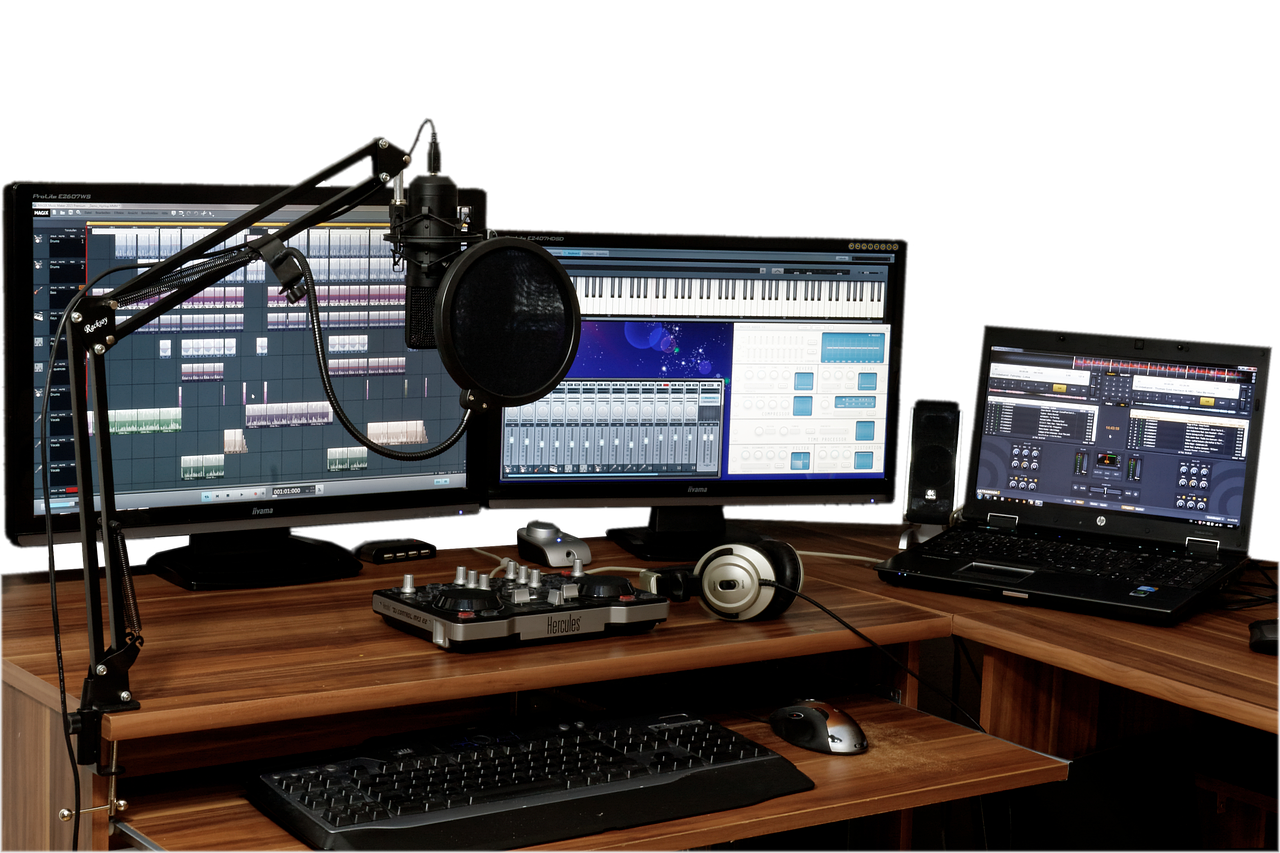
Current official product pages show how broad the category has become. Ableton lists Live 12 in Intro, Standard and Suite editions; Steinberg describes Cubase as available in Pro, Artist and Elements versions; Bitwig shows Essentials, Producer and Studio editions; and Avid markets Pro Tools through Artist, Studio and Ultimate tiers. In practice, the decision is not simply free versus professional. It is which ceiling you are most likely to hit first. (ableton.com)
Idea generation has also changed. Apple announced Session Players, Stem Splitter and ChromaGlow for Logic Pro on May 7, 2024. Ableton describes Live 12 tools for MIDI transformations, MIDI generation and stem separation in Suite. BandLab documents SongStarter as an AI-powered idea generator. These tools can speed up sketching, but they do not replace arrangement judgment, recording quality or the legal responsibility to use cleared material. (apple.com)
Start with the workflow, not the longest feature list
The strongest way to choose is to define the first complete project you need to finish. If you are recording vocals, guitar and piano, prioritize low-latency recording, comping, take management, pitch correction options and clean editing. If you make beats, look closely at step sequencing, sampling, drum racks, piano roll speed and browser organization. If you perform electronic music live, focus on clip launching, controller mapping, stability and fast set navigation.
Songwriters who want to move quickly may value a clear timeline and realistic session players more than modular sound design. Electronic producers may prefer software that treats clips, modulation and automation as central creative tools. Engineers working with clients may care more about session compatibility, audio editing speed, routing, surround or immersive options, and predictable export formats.
There is no neutral winner across all of those jobs. A program that feels fast for loop building can feel awkward when editing a live drum kit. A studio-standard DAW can also be more than a beginner needs. The useful question is simple: can this software help you finish your next track with fewer workarounds than your current setup?
Licensing and limits matter as much as features
Music software is often sold through tiered editions, perpetual licenses, subscriptions, free versions or hardware bundles. As of September 2026, Apple lists Logic Pro requirements that include macOS 15.6 or later and Apple silicon for Mac, while Cockos states that REAPER license pricing depends on use. Image-Line says FL Studio owners receive future instruments, effects and updates released for their purchased edition, and BandLab documents specific project limits for its free and membership plans. (apple.com)
| Model | What to check before paying | Why it matters |
|---|---|---|
| Free or included software | Track limits, export formats, offline access and commercial-use terms | Useful for learning, but limits can appear once songs become more complex |
| Perpetual license | Which major versions or updates are included | You may own the current version but still pay later for major upgrades |
| Subscription | Monthly cost, annual commitment, cancellation rules and project access after cancellation | Can reduce upfront cost but adds ongoing budget pressure |
| Tiered editions | Track counts, instruments, effects, audio tools, notation and stem features | The entry tier may be enough, or it may block a workflow you need |
| Hardware bundle | Whether the included edition is limited and how upgrades work | Useful with an audio interface or controller, but not always a complete studio package |
A sound purchase decision also includes the cost of extras. Many producers eventually buy an audio interface, microphone, headphones, MIDI controller, external drive, plug-ins or sample packs. Expensive software is not automatically wasteful, but a cheap DAW plus uncontrolled plug-in spending can cost more than a larger edition that already includes the tools you need.
A feature checklist before you commit
Track, project and export limits
Check audio tracks, MIDI tracks, return tracks, project duration and export formats. BandLab, for example, says its free plan supports fewer tracks than membership and keeps a 15-minute project duration limit. Entry DAW editions may also limit bundled instruments, advanced mixing tools or included sound packs. Limits are not a problem if they match your work; they become expensive when you discover them after building a project. (help.bandlab.com)
Recording and editing depth
If you record real performances, look beyond the phrase professional recording. Test comping multiple takes, editing breaths, tightening timing, crossfading, punching in and managing playlists or lanes. A program can have excellent instruments but still slow you down if basic vocal editing takes too many clicks.
Plug-ins and instruments
Most DAWs include effects and instruments, but the depth varies. Producers who rely on third-party synths should confirm plug-in format support on their operating system. REAPER, for instance, documents support for formats including LV2 and CLAP alongside common production workflows. On Apple systems, Audio Units remain important; in Pro Tools-centered studios, AAX compatibility can matter. (cockos.com)
AI-assisted and stem tools
Stem splitting, pattern generation and virtual session players can help move a project from a blank page to a workable sketch. Treat them as assistants, not as proof of originality or clearance. The U.S. Copyright Office explains that music creators may be dealing with both a musical work and a sound recording, and its fair-use guidance warns that there is no fixed number of notes or percentage that is automatically safe to use without permission. (copyright.gov) See also: AI.
Collaboration and portability
If you work with other musicians, ask how sessions travel. Does the collaborator need the same DAW version? Are plug-ins frozen, bounced or missing? Can you export stems cleanly? Browser-based tools are convenient for quick collaboration, but a desktop DAW may offer deeper editing and mixing once the arrangement is ready for final work.
A practical shortlist by creator type
The following map is not a ranking. It is a way to narrow the field before downloading trials or demos.
| Creator type | Good starting direction | Upgrade trigger |
|---|---|---|
| New Mac songwriter | Start with GarageBand, then evaluate Logic Pro if you need deeper editing and production | You need larger sessions, professional mixing tools or Logic-specific instruments |
| Online collaborator | Try a browser or mobile-first tool such as BandLab | Track limits, duration limits or offline recording become restrictive |
| Beatmaker | Compare FL Studio, Ableton Live and groovebox-style systems | You need faster sampling, arrangement, automation or mix export workflows |
| Electronic performer | Evaluate clip-based or modulation-heavy DAWs such as Ableton Live or Bitwig | You need reliable controller mapping, live set organization or advanced modulation |
| Recording engineer | Compare Pro Tools, Cubase, Studio One, Logic Pro and REAPER | You need client session compatibility, advanced editing, routing or delivery formats |
| Budget-conscious producer | Consider a capable lower-cost perpetual license before buying large bundles | You repeatedly miss specific instruments, effects or collaboration features |
Apple describes GarageBand for Mac as a music creation studio with a sound library, presets and session drummers, while its Logic Pro page sets higher system requirements for the professional app. That makes the GarageBand-to-Logic path sensible for some Mac users, but not for Windows users or studios already built around another DAW. (support.apple.com)
How to test music making software in one weekend
Do not test software by browsing presets for an hour. Test it by finishing a small track. Use the same eight-bar idea in every program you compare: drums, bass, one chord instrument, one lead part and one recorded audio track. Then complete the following steps.
- Create a project from scratch without watching a long tutorial.
- Record one audio take and one MIDI part.
- Edit timing and pitch enough to make the part usable.
- Add at least three effects and automate one change.
- Arrange an intro, main section and ending.
- Export a stereo mix and separate stems.
- Close the session, reopen it and check whether anything broke.
- Watch CPU use and disk behavior on your actual computer.
This test is more revealing than feature charts because it exposes friction. If you cannot find basic editing, routing or export tools during a small project, the problem will only grow in a larger session. If the software feels plain but lets you finish quickly, that may be a better decision than an exciting program that constantly interrupts the work.
Common buying mistakes
- Buying the largest edition first. The top tier may be right later, but start with the tier that solves a real production problem.
- Ignoring the computer. Modern instruments, stem tools and large sample libraries can demand more storage, memory and CPU than the product page headline suggests.
- Confusing sounds with songs. A huge library helps, but arrangement, editing and mix decisions still determine whether a track works.
- Assuming AI tools clear rights. Stem extraction and generation features do not automatically make source material safe for commercial release.
- Skipping export tests. If you plan to collaborate, submit mixes or sell beats, confirm stems, MIDI export and project backup before committing.
Frequently asked questions
Is free music making software enough for beginners?
Yes, often. Free or included software is enough to learn recording, MIDI programming, arrangement and basic mixing. Upgrade when a specific limit blocks a project, not because a paid version looks more professional.
Do I need plug-ins before I can make good music?
No. Most serious DAWs include enough instruments and effects to make complete songs. Buy plug-ins only after you understand what problem the stock tools cannot solve.
Are AI music tools a reason to switch DAWs?
Usually not by themselves. AI-assisted tools can speed up sketching, stem work or accompaniment, but workflow, stability, editing and export options matter more over the life of a project.
Which music making software should a beginner choose first?
Choose the one that matches your device and first project. Mac beginners can start with GarageBand. Browser collaborators can try BandLab. Beatmakers should compare step sequencing and piano roll speed. Recording-focused users should prioritize audio editing and low-latency performance.
When is it worth paying for a higher edition?
Pay for a higher edition when you can name the exact missing feature: more tracks, better comping, advanced instruments, stem tools, notation, surround options, controller support or client compatibility. If you cannot name the blocker, keep making music with the edition you have.