



What a USB plug means in practice
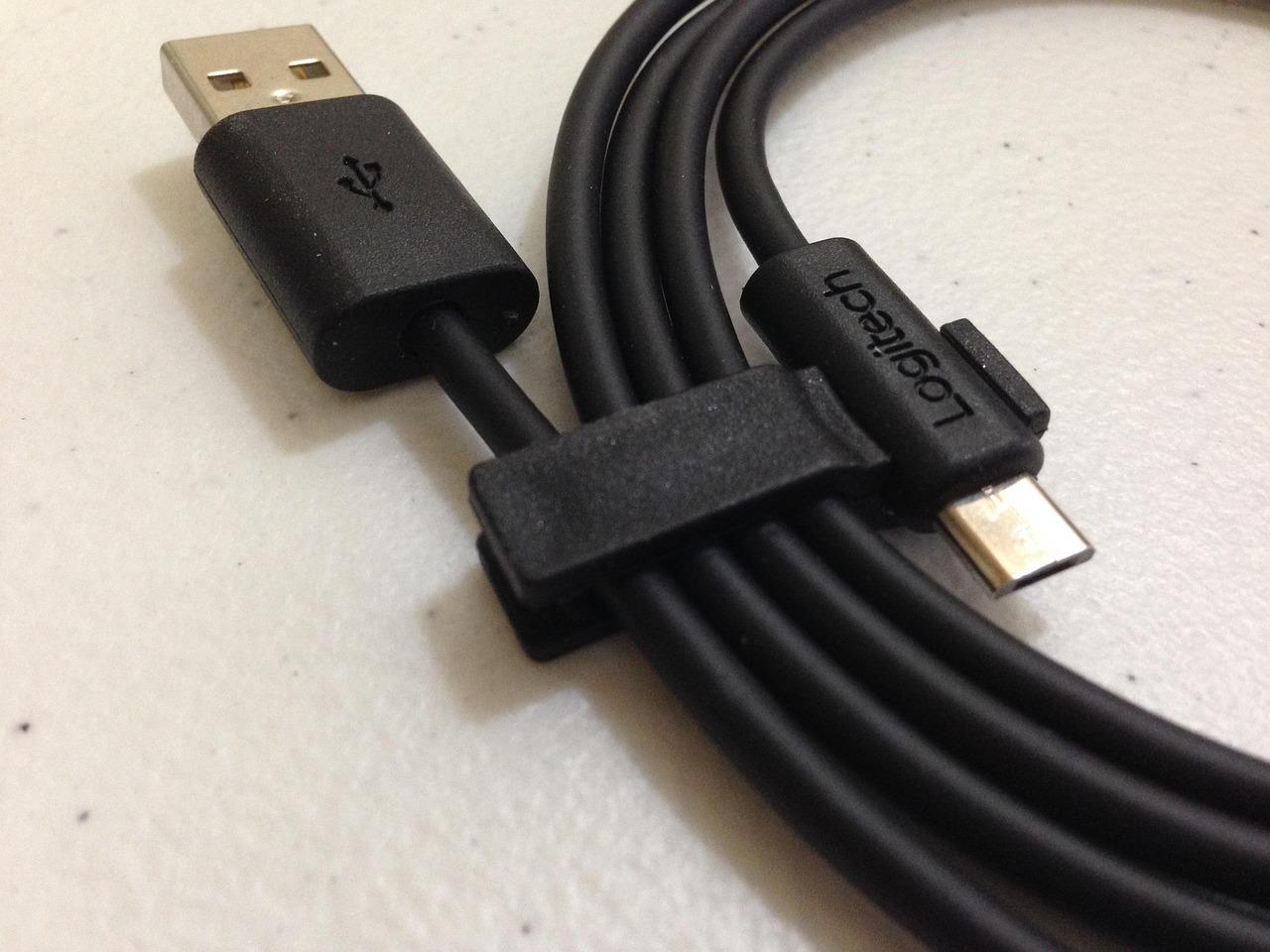
A USB plug is not a single, fixed product category. In everyday use, the term may refer to the metal connector on a cable, the socket on a phone or laptop, or the wall adapter that converts household AC power into USB charging power. That distinction now matters more because USB-C has become the dominant connector on new phones, tablets, laptops and accessories, while USB Power Delivery can raise charging output far beyond older 5-watt or 10-watt adapters. The safest buying rule is still straightforward: match the connector shape, charger wattage, cable rating and device requirement instead of assuming every USB plug works the same way.
Much of the confusion comes from products that look compatible but are not equivalent. A USB-C plug may fit the port and still provide only slow charging or basic data transfer. A wall charger may advertise high wattage, but the connected cable and device must also support the same charging profile. A laptop may need more power than a phone charger can provide. A car USB port may power a handset without fast-charging it. Fit is the first compatibility check, not the final one.
For readers tracking broader accessory and device changes, the Roadsnews Devices section follows standards, hardware shifts and practical buying issues around consumer electronics.
Why USB-C changed the buying decision
USB-C is now the most important USB plug shape because it is reversible, compact and designed to carry power, data and, in many products, display signals. However, USB-C describes the connector form. It does not guarantee a specific charging level, data speed or video capability. One low-cost USB-C cable may be suitable for basic charging and USB 2.0 data, while another USB-C cable may support high-speed data, video output and much higher power.
Regulation has also pushed USB-C further into the mainstream. In the European Union, common charger rules have applied to many small and medium-sized electronic devices since December 28, 2024. Covered categories include phones, tablets, digital cameras, headphones, earbuds, keyboards, mice, e-readers, portable speakers and handheld game consoles sold in the EU. Laptops entered the EU timeline on April 28, 2026. The rule is not a worldwide law, but it has influenced global product design because manufacturers often prefer fewer hardware variants.
For consumers, the practical result is that a USB-C receptacle is increasingly expected on portable devices. For accessory makers, the shift increases pressure to label wattage and cable capability clearly. For repair shops and IT buyers, it can reduce the number of proprietary charging parts that need to be stocked, although it does not remove the need to check power requirements.
Common USB plug types and where they still appear
Several USB plug types remain in service, especially across older accessories, cars, printers, cameras and industrial equipment. Identifying the plug shape helps avoid buying a cable that fits one end of the setup but not the other.
| USB plug type | Typical use | What to watch |
|---|---|---|
| USB-A | Older chargers, PCs, cars, hubs and power banks | Not reversible; often limited to older charging modes unless the charger supports a fast-charging protocol |
| USB-C | Modern phones, tablets, laptops, earbuds, monitors and docks | Shape alone does not guarantee high wattage, fast data or video output |
| Micro-USB | Older phones, budget accessories, speakers and small gadgets | Usually lower power and more fragile than USB-C |
| Mini-USB | Older cameras, GPS units and legacy accessories | Mostly legacy; replacements may be harder to find |
| USB-B | Printers, scanners, audio gear and some office devices | Often used for data connection rather than charging |
USB-A will not disappear quickly because it is built into vehicles, airport charging points, desktops and older wall adapters. Even so, new high-power chargers increasingly use USB-C outputs because USB Power Delivery is built around USB-C for modern charging negotiation. During the transition, many households and workplaces still need both USB-A and USB-C cables.
Charging power is about watts, not just the plug
The wattage of a USB plug setup is calculated from voltage and current. Older USB charging commonly used 5 volts. Newer USB-C Power Delivery setups can negotiate different voltage levels so a phone, tablet or laptop receives the amount of power it is designed to accept. That negotiation matters because the charger should not simply push its maximum output into every device.
USB-IF, the standards organization behind USB, announced USB Power Delivery 3.1 in 2021 with support for power levels up to 240 watts over compatible USB-C cables and connectors. USB-IF’s public document library has since listed USB Power Delivery Revision 3.2 Version 1.2 with a September 14, 2026 document date. The practical takeaway is not that every USB-C charger supplies 240 watts. It is that the standard family now covers a much wider range of devices than phones alone.
For ordinary buyers, three checks are more useful than reading specification revisions. First, check the device requirement, such as a laptop that asks for 65 watts or a tablet that benefits from 30 watts. Second, check the charger output per port, because a multi-port charger may divide power when several devices are connected. Third, check the cable rating, because a cable that is adequate for a phone may not be suitable for a high-power laptop.
- A 20-watt USB-C charger is usually aimed at phones and small accessories.
- A 30-watt to 45-watt charger can suit many tablets, handheld game devices and lightweight notebooks.
- A 60-watt to 100-watt charger is common for many laptops and docking setups.
- Higher-power USB-C charging requires a charger, cable and device that all support the necessary USB Power Delivery profile.
Data speed and display support are separate questions
A common mistake is treating a USB-C plug as proof of fast data transfer. It is not. Some USB-C cables are built mainly for charging and basic data. Others support faster USB data rates. Some can also carry display signals for monitors, depending on both the cable and the device port.
For external storage, docks and displays, the speed label matters. Packaging or device specifications may refer to USB 5Gbps, USB 10Gbps, USB 20Gbps, USB 40Gbps or USB 80Gbps. Those figures describe data capability, not charging power. A cable can be excellent for charging but poor for moving large video files, and a high-speed cable may still need a separate wattage rating for demanding charging use.
This separation is why a USB plug buying decision should begin with the job. Charging a phone, connecting a printer, running an external SSD and powering a laptop are different tasks. The same connector shape may appear in all four situations, but the required specifications are not the same.
Safety and certification should not be treated as optional
USB plugs are small, but wall chargers connect to mains electricity. That makes build quality and certification important. Consumer safety authorities have repeatedly warned that uncertified or counterfeit chargers can create overheating, shock and fire risks. A low price is not a useful saving if the charger lacks credible safety testing or uses poor insulation and components.
Look for recognized safety marks appropriate to the market, clear manufacturer identification, input and output ratings, and packaging that does not rely only on vague claims such as fast charging. USB-IF certification can also help buyers identify products tested for USB compliance, although not every safe charger carries a USB-IF logo. The strongest signal is a combination of reputable brand accountability, clear electrical ratings, safety certification and accurate USB capability labeling. See also: AI.
Damaged plugs and cables should be replaced, not taped and reused. Bent pins, loose connectors, exposed shielding, melted plastic, buzzing sounds or unusual heat are warning signs. A charger can become warm during use, especially at higher wattage, but it should not become painfully hot or smell of burning plastic. Charging on beds, under pillows or under heavy fabric adds avoidable heat risk.
How to choose the right USB plug for each device
A good USB plug purchase starts with the device, not the accessory listing. Check the manufacturer’s recommended wattage and connector type. If the device supports USB-C Power Delivery, choose a USB-C PD charger with at least the recommended output. If it is an older micro-USB device, buying a high-power USB-C charger will not make it charge faster unless the correct cable and supported charging method are present.
For phones, prioritize a compact certified charger and a durable cable. For laptops, match or exceed the original charger wattage unless the laptop maker states that a lower-power travel charger is acceptable. For power banks, check both input and output ratings, because a battery pack that outputs high wattage may still recharge slowly from the wall. For cars, remember that built-in USB ports may be designed for data or low-power charging; a dedicated USB-C car charger may perform better.
Travel adds one more layer: the wall plug prongs. A USB charger may accept 100 to 240 volts for international use, but it still needs the correct physical plug adapter for the local outlet. A plug adapter changes the prong shape; it does not automatically convert voltage. Always check the charger label before using it abroad.
What the shift means for the device market
The USB plug market is moving away from connector variety and toward capability variety. Fewer products need proprietary barrel chargers or Lightning-style phone cables, but buyers now need to understand wattage, charging protocols and cable ratings. That is simpler than carrying several incompatible chargers, but it still requires clearer labels and more accurate product pages.
For manufacturers, USB-C reduces friction for customers but increases the need for compliance testing and accurate claims. For retailers, it creates a merchandising challenge: a USB-C cable is not a single product category anymore. A store shelf may need to distinguish basic charging cables, high-wattage charging cables, high-speed data cables and display-capable cables.
For consumers and small business buyers, the most practical strategy is to standardize gradually. Keep one reliable higher-wattage USB-C PD charger for laptops and tablets, one smaller charger for phones or travel, and a few clearly rated cables. Retire damaged cables and avoid anonymous chargers with unclear labels. The goal is not to buy the most powerful USB plug available; it is to buy the plug, cable and charger combination that safely matches the device.
Frequently asked questions
Is every USB-C plug a fast charger?
No. USB-C is a connector shape. Fast charging depends on the charger, cable, device and supported charging protocol. A USB-C plug can deliver slow charging, fast phone charging or laptop-level power depending on the full setup.
Can I use a laptop USB-C charger for my phone?
Usually yes, if the charger is a proper USB-C Power Delivery charger from a reputable maker. The phone should negotiate the power it can accept. However, damaged, counterfeit or poorly labeled chargers should be avoided regardless of wattage.
Why does my USB-C cable charge but not transfer data quickly?
Many USB-C cables are designed mainly for charging and basic data. Fast external drives, docks and monitors may require a cable with a specific data speed or display capability. Check the cable rating rather than relying only on the connector shape.
Do EU common charger rules mean all devices worldwide must use USB-C?
No. The EU rules apply to covered products sold in the European Union. However, because large manufacturers often streamline global hardware designs, the rules have helped push USB-C adoption beyond Europe.
What should I check before buying a USB plug or charger?
Check the device connector, recommended wattage, charger output per port, cable power rating, data-speed needs and safety certification. If the product page does not clearly state those basics, choose a better-documented accessory.